Generate AI video from images, text, or existing footage with MakerBox. Create anime clips, cinematic scenes, and social media videos online in minutes. Free trial available.
Try an example
Creative inspiration only. Select a sample to fill supported text fields; generation stays in your control.
Cartoon interview reel
A bright animated conversation.
AI Video Generator Styles
From anime scenes to cinematic cuts—generate publish-ready videos in one click.
Whether you need to generate AI video from a photo for anime animation or create a cinematic AI video from script, MakerBox delivers output that holds up across TikTok, YouTube Shorts, and social feeds.
Generate AI Video With Motion That Feels Real
Whether you need to generate AI video from a photo for anime animation or create a cinematic AI video from script, MakerBox delivers output that holds up across TikTok, YouTube Shorts, and social feeds.
Generate AI Video from Image with Character Consistency
Upload a character or scene image and generate AI video with preserved identity throughout. MakerBox AI maintains outfit details, color palette, and proportions frame by frame—no drift, no inconsistency. Perfect for anime character reveals, product motion shots, and creative content that needs a consistent subject across the full clip.
Type a scene description and generate a cinematic AI video in seconds. Describe camera movement, subject action, and visual tone in plain language—MakerBox AI interprets the direction and produces a motion sequence with realistic depth, lighting, and pacing. No storyboard, no keyframes, no animation experience required.
From anime character animations to cinematic scenes—MakerBox AI video generation covers every format creators need to publish and grow.
Image to AI Video
Upload any image and generate a fluid video with motion, camera movement, and cinematic pacing. MakerBox AI preserves your subject's details while adding life-like animation—ideal for character reveal clips, product showcases, or creative storytelling.
Text to AI Video
Describe your scene in plain language and generate a video from script. MakerBox AI interprets motion direction, setting, and style to produce cinematic AI video from text—no storyboard, no keyframing required.
Anime Style Generation
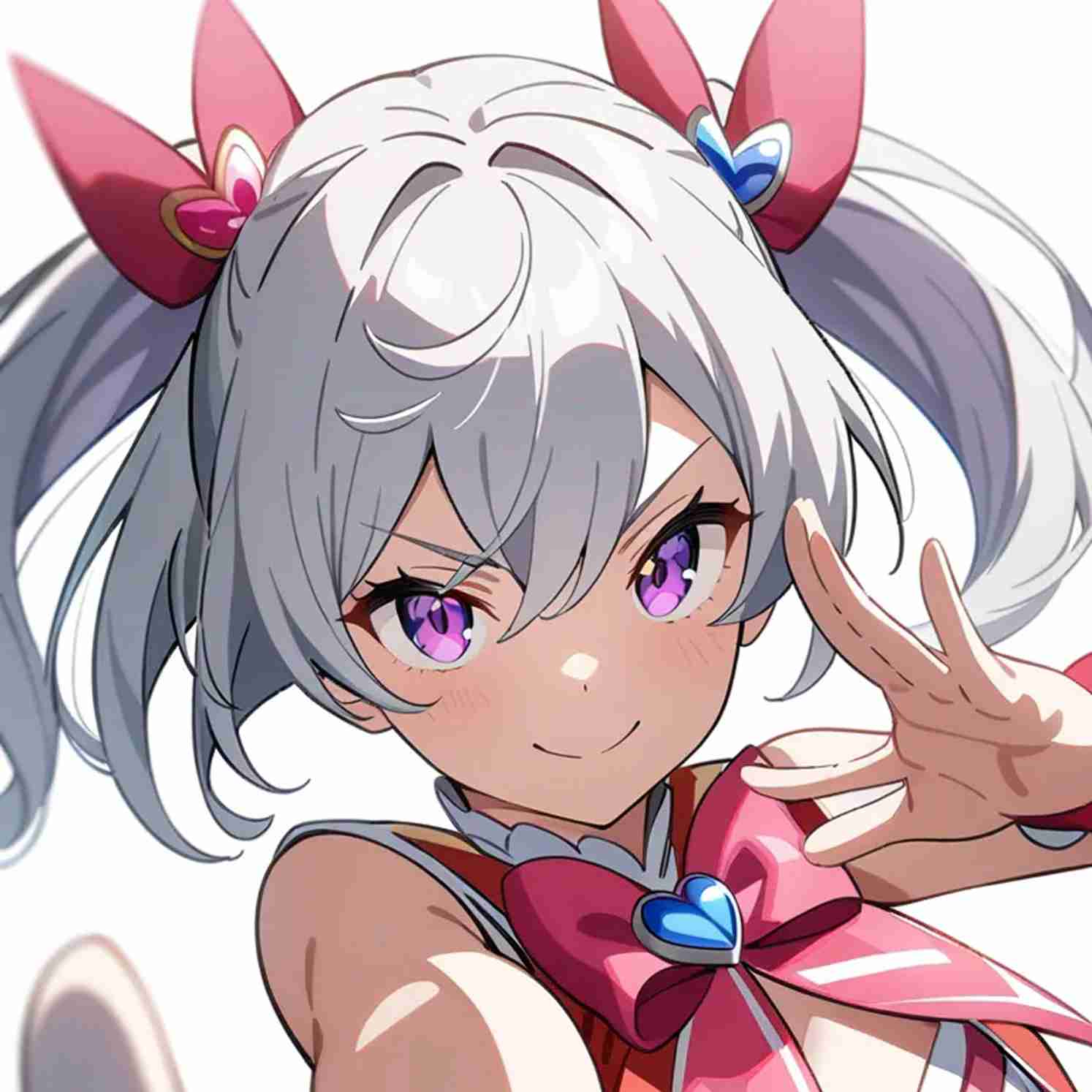
Generate anime-style video from character images with consistent identity preservation. Our anime video generator maintains outfit colors, facial features, and character proportions through the full animation sequence—ready for TikTok and YouTube Shorts.
Platform-Ready Output
Every generated AI video is formatted and sized for your target platform. Select 9:16 for TikTok and Reels, 16:9 for YouTube—output is download-ready without additional conversion or re-export.
Iterate and Improve
Generate multiple variations from the same source. Adjust the motion prompt, switch style, or change aspect ratio without re-uploading. Your Results panel saves all generations so you can compare versions and publish the best one.
Private and Secure
Your uploaded images and videos are encrypted and never used for model training. Generate AI video locally in your private account. Delete source files at any time. All generations remain in your Results panel until you remove them.
From Upload to Publish-Ready AI Video
Social media creators and animators
1
Upload your image or write a prompt
Drop in a character image for anime animation, or type a scene description to generate ai video from text. Both inputs work in the same tool—no separate workflows, no switching apps.
2
Choose your video style and format
Select anime, cinematic, or motion style. Pick 9:16 for TikTok and Reels, or 16:9 for YouTube. MakerBox AI applies the right motion physics and camera behavior automatically—no manual adjustment needed.
3
Download and post immediately
Your AI video is ready in minutes. Download the MP4 and post directly to your platform. Use the Results panel to generate similar variations or retry with adjusted prompts without re-uploading your source.
Content teams and brand creators
1
Prepare your source content
Gather product images, brand assets, or character references. This AI video generator accepts standard image formats. Multiple uploads let you build a content library for batch video production sessions.
2
Generate AI video in seconds
Select a style, write a motion description if needed, and click generate. MakerBox AI produces your video in under 3 minutes. Generate multiple versions from one source to build a content batch for the week.
3
Build your library and publish
Save your best generations to Results. Export in bulk, schedule for posting, or use as source material for future iterations. Generate AI video at the pace your content calendar demands—without adding headcount.
Real Uses for AI Video Generation
Creators use MakerBox to generate AI video for anime content, social media growth, storytelling, and brand campaigns—publish-ready output that works across every platform.
Each AI video style is calibrated for specific use cases. Generate multiple versions in minutes and pick the one that fits your post, your platform, and your audience.
Anime Character Videos
Animate characters for TikTok, Reels, and YouTube Shorts
Cinematic Scene Clips
Generate atmospheric scenes for storytelling and YouTube
Social Media Content
Platform-sized clips formatted and ready to publish
Creative Art Videos
Motion sequences for creative and fantasy art projects
Creators Who Generate AI Video with MakerBox
Hear from animators, social media creators, and content teams who replaced manual production with MakerBox AI video generation.
I used to spend hours in After Effects for one clip. Now I upload a character image and generate AI video in minutes. My anime TikTok grew from 2K to 28K followers after switching to MakerBox.
Chris Park
Anime TikTok Creator
I can generate AI video from text in under 3 minutes. Used to take me half a day to produce a single Short. My output went from 2 videos a week to daily posts without any help.
Leila Nguyen
YouTube Shorts Creator
We needed 20 product motion videos for a campaign launch. MakerBox let us generate AI video from product images in an afternoon. The campaign outperformed static ads by 3x on click-through.
Marcus Webb
Brand Creative Lead
I create fantasy character art. MakerBox makes my illustrations move—fluid, cinematic, exactly the animation arc I described. My Patreon supporters love getting animated versions of their commissions.
Sasha Kim
Fantasy Illustrator
Running social for three clients used to mean juggling video editors and deadlines. Now I generate AI video for all three accounts from one tool. Delivery time went from 5 days to same-day.
Daniel Torres
Social Media Manager
We use MakerBox to generate AI video trailers from game concept art. What used to cost $2,000 in freelance animation now takes 30 minutes and a few credits. Our trailer views doubled on YouTube.
Yuki Tanaka
Indie Game Studio
Common Questions About AI Video Generation
Everything you need to know about generating AI videos with MakerBox.
How do I generate an AI video?
Upload an image or type a scene description, select your style and aspect ratio, then click Generate. MakerBox processes your input and delivers a downloadable video in minutes. No editing software or technical skills required.
Which AI video generator is easiest for beginners?
MakerBox is built for non-technical creators. The workflow is three steps: upload or describe, choose style, download. No prompting expertise needed—select a style template and the AI handles motion direction and camera behavior.
Can MakerBox AI turn text into a video?
Yes. Type a scene description in plain language—include subject, action, and setting. MakerBox AI interprets your text and generates a video with matching motion, lighting, and composition. Works best with clear, specific descriptions.
Can I generate a video from a photo?
Yes. Upload any image—a character illustration, a portrait, or a scene photo—and select a motion style. MakerBox generates AI video from the image with consistent subject detail preserved throughout the clip.
What aspect ratio should I use for TikTok?
Use 9:16 for TikTok, Instagram Reels, and YouTube Shorts. Use 16:9 for standard YouTube videos and desktop content. Select your ratio before generating—MakerBox formats the output accordingly without post-processing.
Where are my generated videos saved?
All generated AI videos appear in your Results panel immediately after generation. They stay saved until you delete them. Download any generation at any time, or use saved results as reference for new iterations.
Can I use AI videos for commercial ads?
Yes. Paid plans include commercial usage rights. You can publish AI-generated videos on paid social channels, YouTube monetized content, and commercial campaigns. Check our Terms of Service for restricted content categories.
How long does it take to generate an AI video?
Most AI video generations complete in under 3 minutes. Generation time depends on video length (5s or 10s), selected model, and current queue load. Shorter clips with standard styles are typically the fastest.
Generate Your First AI Video Free
Join creators who generate AI video from images and text daily. Start with a free trial—no payment needed to try MakerBox AI video generation.